Recently, we were facing an issue at my workplace with video rendering. The entire video was being rendered in the user’s browser, slowing down performance for viewing and, in the case of large video uploads, as well.
Hence, I was tasked with solving and optimising video upload and streaming. There were two key problems to address- video upload taking longer for larger files and a need for adaptive video streaming to enhance the user experience.
Handling Video Upload and Processing
For video upload, I decided to divide videos into multiple chunks/blocks (multiparts) and upload in parallel to optimise upload speed. Instead of uploading a large file (500mb video file) directly to S3 or Azure Blob (in our case), the file was divided into multiple smaller blocks/chunks, which were then parallelly uploaded.
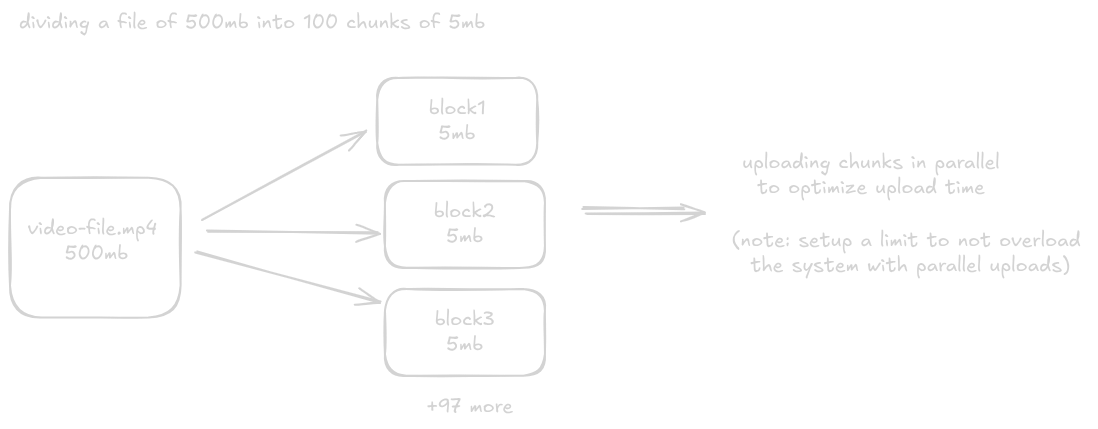
After uploading all blocks, a final commit operation (PutBlockList in Azure or CompleteMultipartUpload in AWS), assembling the files in the correct order. Without this, the video remains inaccessible.
After a video is uploaded, we need to transcode the video to support adaptive bitrate streaming. For video streaming, I decided to implement HLS(HTTP Live Streaming). In HLS, a video is divided into multiple small segments, and for viewing, these segments are loaded as the user watches the video.
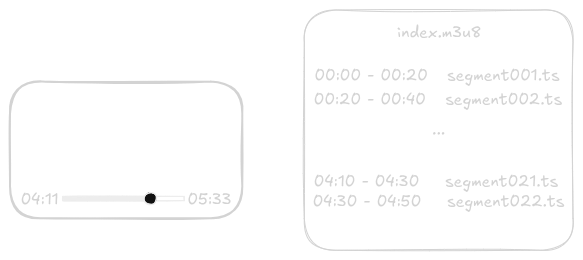
A master or index.m3u8 file is made to keep all the segments and the timestamps along with video formats if available. As the user watches a video in the browser, these timestamp segments are loaded without downloading the whole video.
So for video streaming, I decided to use ffmpeg (a popular library for media processing), to process the video and divide it into different segments and in different resolutions - 360p, 720p, and 1080p (if the video supports).
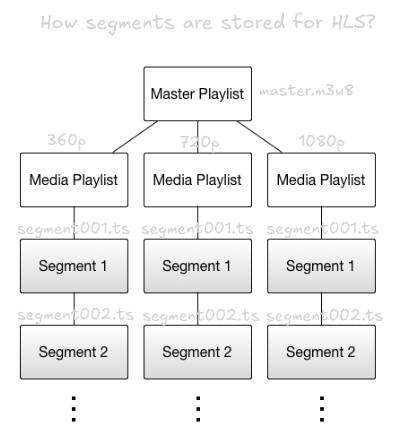
Once the segments are generated, all of them are uploaded back to the cloud in a different container/bucket (if you are using the same container, be cautious since it might cause an infinite loop if an upload event is set up on the container)
So, the final architecture looks like this for uploading-
Client uploads the video in chunks, and a call is made to the server for final commit. The server, along with the final video commit, saves the video details and process status in the DB and sends an event to the message queue for video processing.
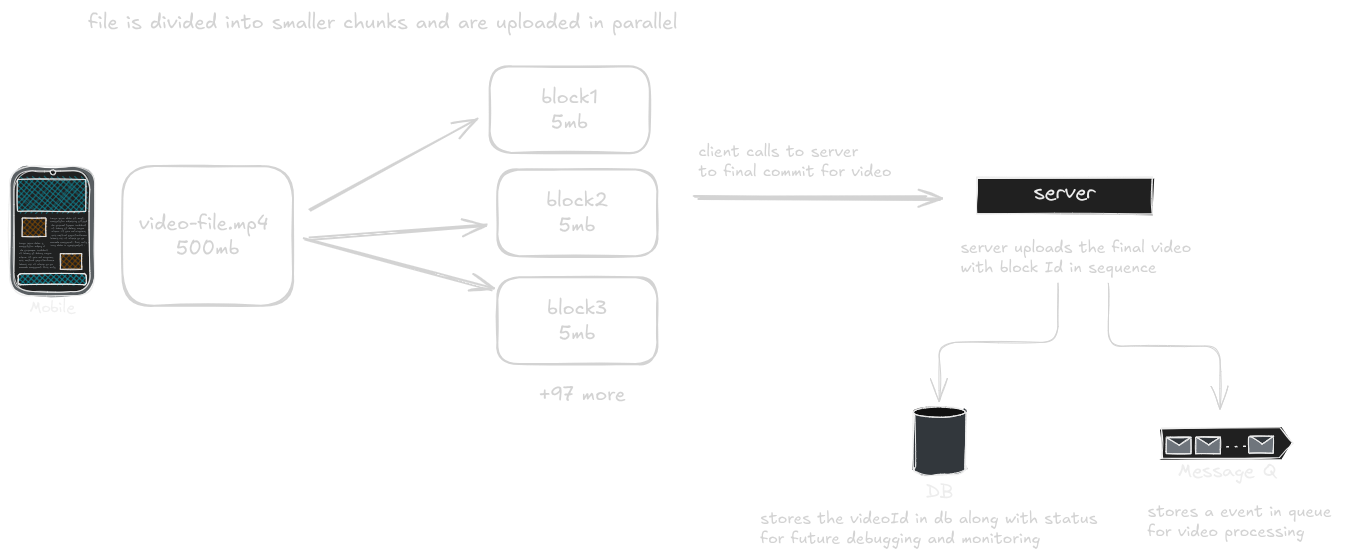
Worker service picks up the event from the message queue and uses ffmpeg to transcode the video in different formats - 360p, 720, 1080p, segments and a .m3u8 file is generated and finally uploaded back to the cloud (S3 bucket, Azure Blob).
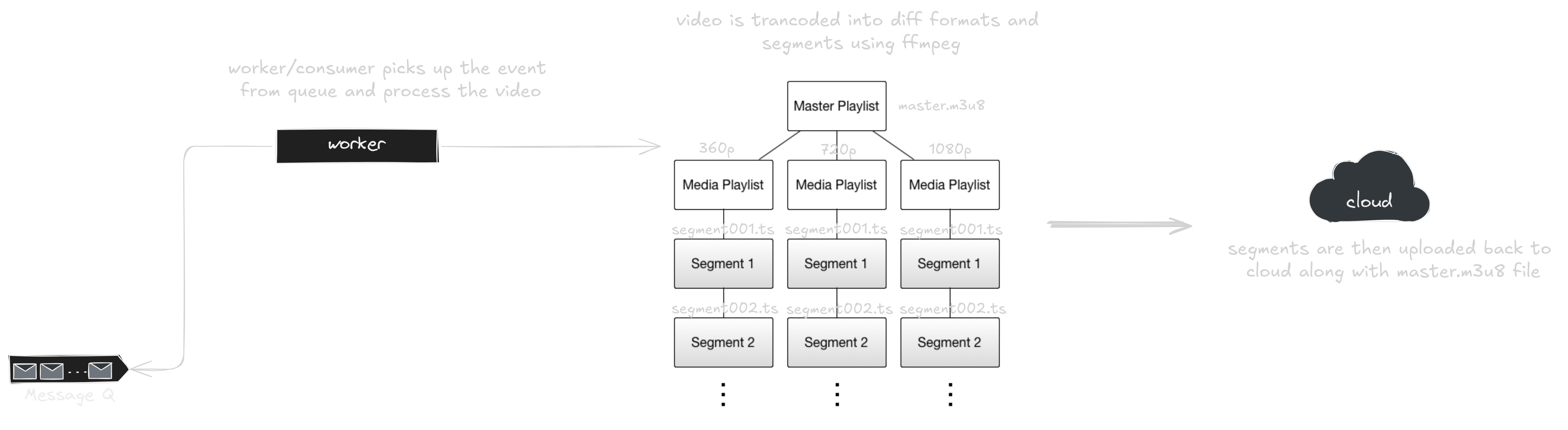
For worker service, there are a few cases to consider to optimise video processing time and multiple video processes. A docker container can be spun up that takes up a video, transcodes in different formats and after uploading back to the cloud, shuts itself down. Multiple videos can be processed this way in different containers, as supported by the service.
For a single video in order to optimise processing time, different containers can be spined up to process video in different formats- 360p, 720p, 1080p or more resolutions at the same time.
Since the scale for operation was small in our case, I am processing only a couple of videos in separate containers and sequentially processing videos in different formats.
For monitoring the service and recording analytics, use services like Grafana, AWS CloudWatch, or Azure Monitor.
Handling HLS video on Client Side
For handling video streaming on the client side, we need to use a video library that supports HLS. The video player loads the .m3u8 manifest file for HLS instead of a static video URL. This file contains references to the available segment playlists and resolutions
The content type for videos is generally `video/mp4`, but for HLS files, it’s `application/vnd.apple.mpegurl`, the video player should be smart enough to handle both cases.
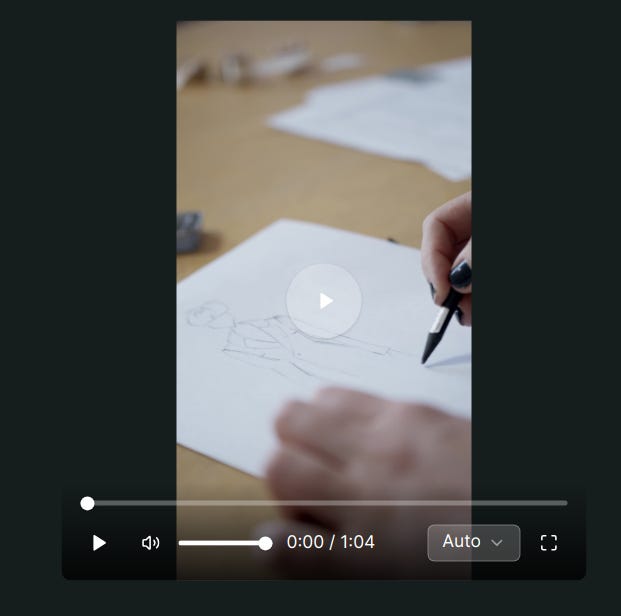
Libraries like video.js, hls.js can be used in JS frameworks that support HLS. I couldn’t find a component to render video and handle different resolution formats as well, so I have to combine the hls.js library and shadcn components to come up with a basic video player. It has video controls and lets you switch between video quality as per the playlists defined in the .m3u8 file.
To wrap up,
HLS is a great way to achieve Adaptive Bitrate Streaming along with DASH. The architecture works just fine for small-scale optimising video uploads and video HLS streaming on the client side, providing a good user experience.
References:
- Video Transcoding System Design: watch here
- HLS Adaptive Bitrate Streaming: watch here
- Read more about HLS streaming: apple-docs
these were some of my learnings while working on video transcoding service. please correct me if you feel i missed something or did something incorrectly.
ping me on twitter or email, if you wanna discuss more about the implementation!
until next time,
mayank bansal
signing off…