Every time a URL is typed into a browser, one thing is needed before anything else - the server’s IP address. The domain name is just a human-readable alias. Something has to translate it. That’s DNS, and it’s doing this millions of times a second across the internet.
DNS resolution is interesting and this piece tries to present a simple working explanation.
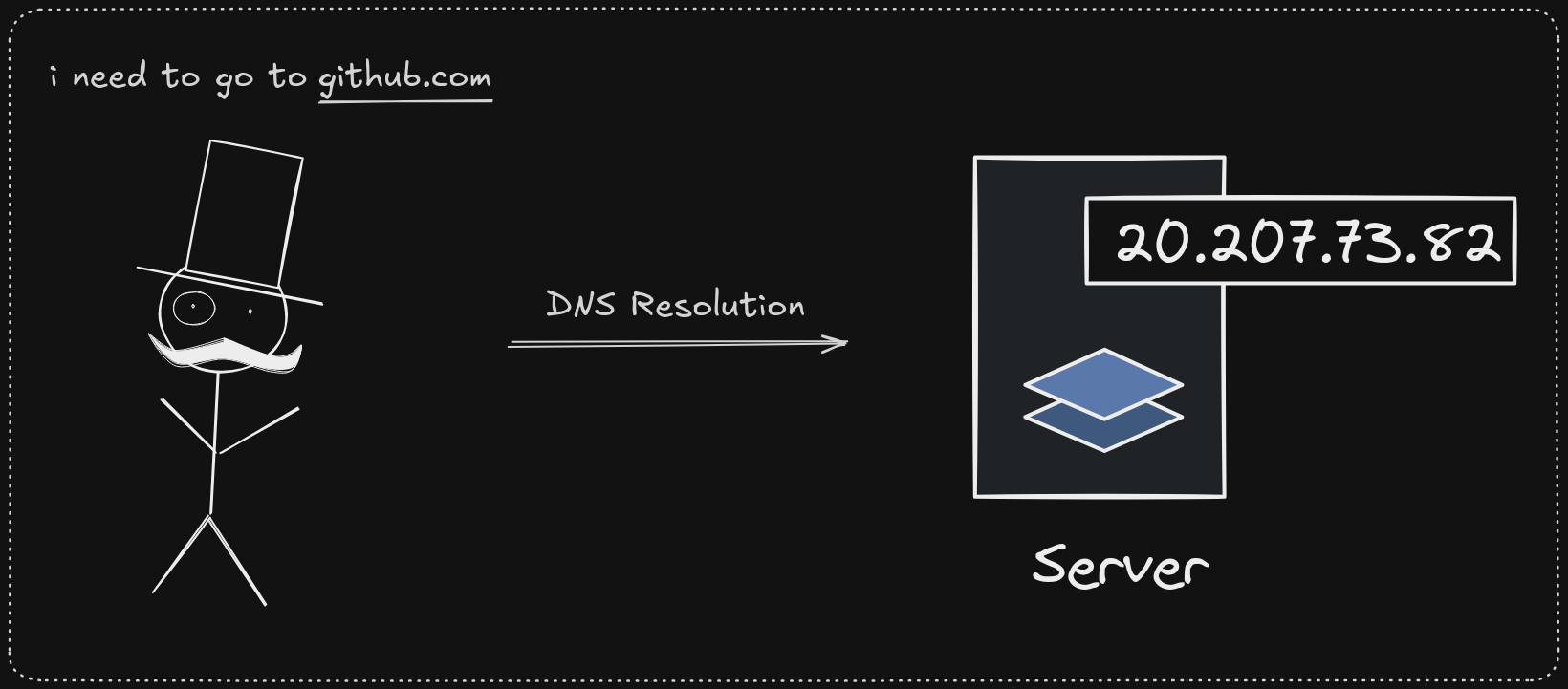
1. Local Cache Resolution
The IP is first tried to be resolved locally, going through a few layers before any network call is made.
→ Browser cache is the first resolution point. Chrome, Safari, Firefox, (or any other browser) cache and resolve DNS responses directly, usually with a low TTL.
→ Next, the hosts file (local mapping for overriding domains).
If /etc/hosts has an override, the device resolves it immediately. For example:
127.0.0.1 google.comroutes google.com to localhost (127.0.0.1), resulting in no network call.
→ Next point is the OS cache. The OS maintains its own DNS cache in memory. macOS uses its system DNS cache, Windows has the DNS Client service, and Linux uses systemd-resolved, nscd, or dnsmasq depending on the setup. TTLs here are typically low as well.
And once the browser or OS cache misses, the OS passes it to the ISP or a configured DNS provider, which acts as recursive resolvers to return the IP address for the domain.
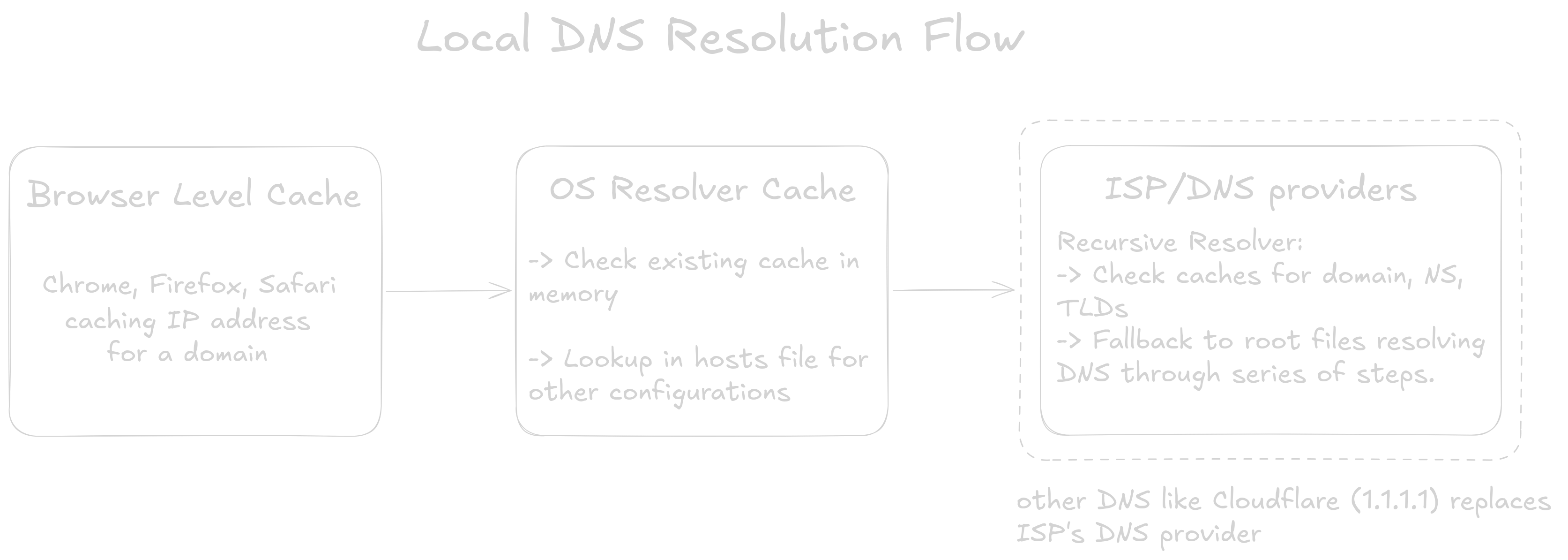
This handoff from the OS to the ISP is called a stub resolver. The OS doesn’t do the lookup itself...it delegates to the recursive resolver to do the hard work and return the IP
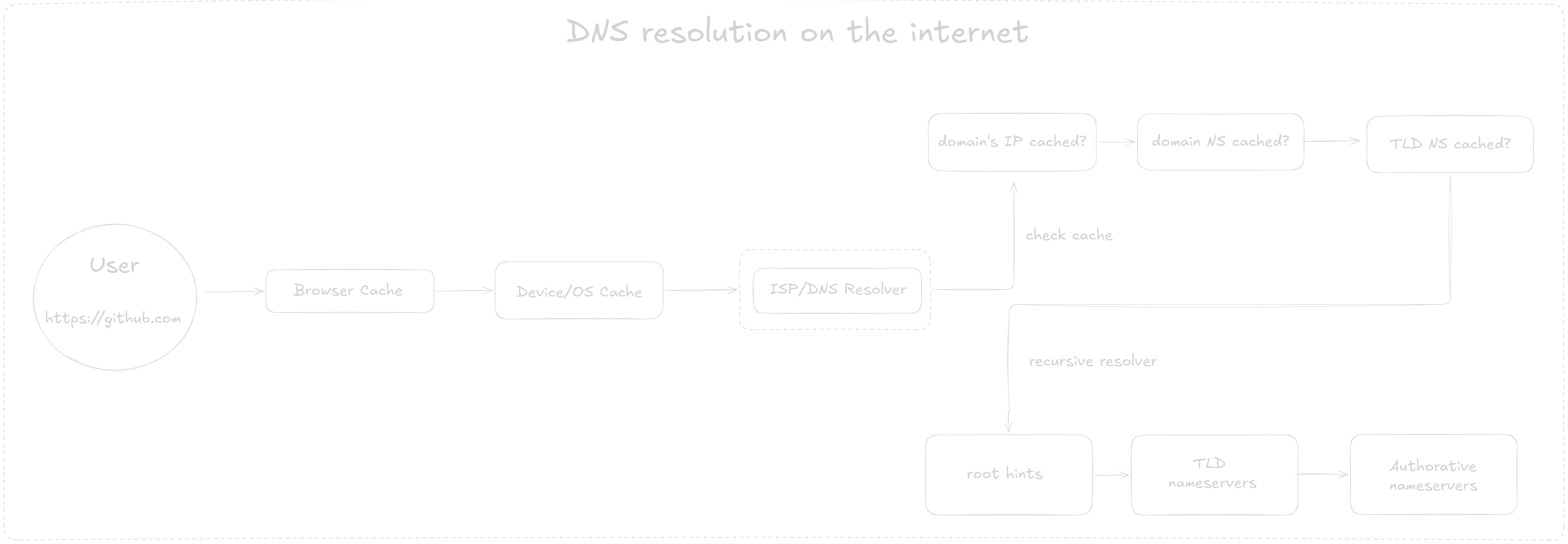
The recursive resolver works through a cache hierarchy first. On a miss, it falls back to a full hunt - going from root hints to the TLD nameserver to the authoritative nameserver (explained in the next heading).
TTL and DNS propagation
Every DNS record comes with a TTL (Time To Live) - a countdown in seconds. Once it hits zero, the cache throws out the record, and the next lookup has to fetch again. This is why DNS changes (like moving to a new server) can take hours to “propagate” (old caches expire and are replaced with new records).
2. Recursive Resolver
After the IP isn’t found in the browser or device cache, it’s up to the ISP to find out the server address. It looks for it in its own cache before going for a trip, which is called root resolution.
Step 1 - resolver cache hierarchy lookup
Before sending any packets, the resolver checks what it already knows in the following order-
→ Full A record cached?
myapp.com. 300 IN A ? → MISS (TTL expired or never seen)→ NS for the domain cached?
myapp.com. NS ? → MISS→ NS for TLD cached?
com.  172800  IN  NS  a.gtld-servers.net.  → HIT
; glue A record also cached (avoids a chicken-and-egg lookup):
a.gtld-servers.net.  IN  A  192.5.6.30      → HIT

OR

com.  172800  IN  NS  ?  → MISS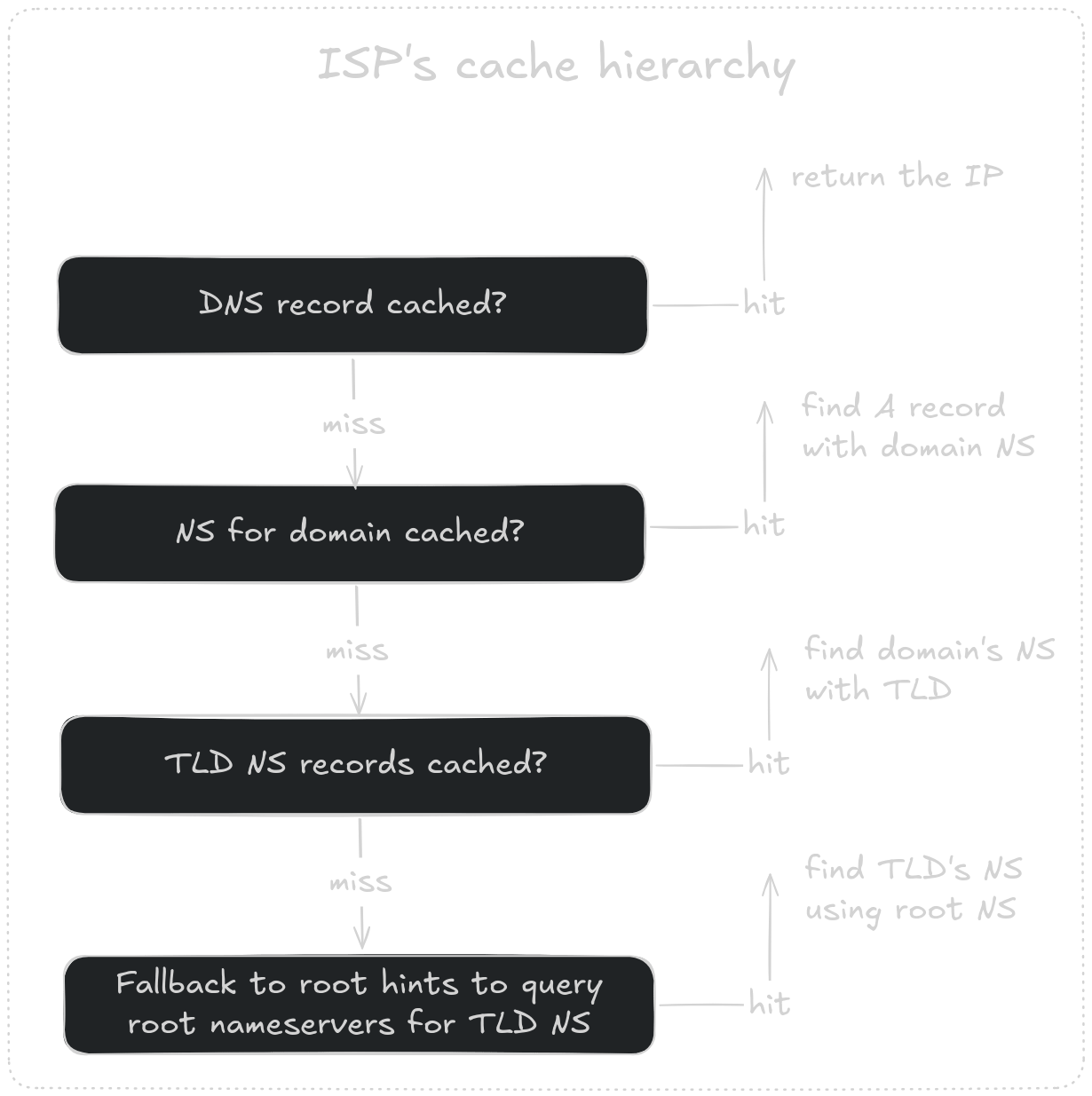
After all these cache misses, the recursive resolver goes on a hunt to resolve the domain sequentially - starting from root hints to find NS for TLD → then NS for domain → query to get A record/IP address for the domain.
Step 2 - Resolution from root (worst-case)
Root Resolution becomes the worst-case scenario if the IP isn’t found in the local or ISP cache. Recursive Resolution begins with the root file to find the NS for the TLD. Root hints are hardcoded into the resolver software, and they never expire.
Root NS
Resolver → Root NS (
a.root-servers.netat198.41.0.4)Query: “Who handles
.com?”. IN NS a.root-servers.net. ; 198.41.0.4
TLD NS
Resolver → TLD NS (a.gtld-servers.netat192.5.6.30)
Query: “Who is authoritative formyapp.com?”myapp.com. 172800 IN NS ns1.myapp.com. myapp.com. 172800 IN NS ns2.myapp.com. ns1.myapp.com. IN A 203.0.113.10Authoritative NS
Resolver → Authoritative NS (ns1.myapp.comat203.0.113.10)Query: “What is the A record formyapp.com?”myapp.com. 300 IN A 93.184.216.34
Resolver then caches the A record, Domain NS and TLD NS and returns the answer to the stub resolver (OS).

When a DNS record changes, say, pointing myapp.com to a new server IP - the old A record sits in resolvers’ caches until its TTL runs out. A TTL of 3600 means it can take up to an hour before all resolvers worldwide see the new value.
Lowering TTL before a planned migration is standard practice to propagate DNS faster.
Glue records and the circular dependency
If the authoritative nameserver is ns1.myapp.com, while it’s resolving the IP for myapp.com, there’s a circular dependency - resolving the nameserver requires querying the very domain it serves.
Glue records break this by embedding the NS’s IP directly in the TLD’s response.
This only applies when the NS hostname lives under the same domain it serves. If the NS is ns1.cloudflare.com (for myapp.com), there’s no circularity (Cloudflare’s IP can be looked up independently).
The final picture
Skipping the ISP resolver with Cloudflare's 1.1.1.1
ISP’s resolver can be skipped entirely by pointing the device at a third-party provider - Cloudflare’s 1.1.1.1 (or Google’s 8.8.8.8).
Cloudflare DNS is especially fast with its global caches, and a major benefit of using it is that it doesn't log queries the way some ISPs do.
But switching to 1.1.1.1 doesn’t make DNS private by default. Plain DNS travels over unencrypted UDP, meaning the ISP can see every query, including those going to 1.1.1.1.
DoT (DNS over TLS) and DoH (DNS over HTTPS) fix that. DoT encrypts DNS on port 853 - distinguishable as DNS traffic, but protected. DoH wraps it in regular HTTPS on port 443 - indistinguishable from normal web traffic. Either way, queries are encrypted, and the ISP is out of the loop.
To wrap up,
DNS resolution is just the first step...finding the server’s address before anything else can happen. The lookup goes through caches at every level: browser, OS, ISP. Only on a full miss does it walk the hierarchy for the full resolution path (root → TLD → authoritative nameserver) to get the server address for the IP.
After DNS hands off an IP address, the browser still has a TCP connection to open, a TLS handshake to complete, and an HTTP request to send before anything loads. And that's another story for another time.